 e5341c5f49
<!-- .github/pull_request_template.md --> ## Description This PR adds support for structured outputs with llama cpp using litellm and instructor. It returns a Pydantic instance. Based on the github issue described [here](https://github.com/topoteretes/cognee/issues/1947). It features the following: - works for both local and server modes (OpenAI api compatible) - defaults to `JSON` mode (**not JSON schema mode, which is too rigid**) - uses existing patterns around logging & tenacity decorator consistent with other adapters - Respects max_completion_tokens / max_tokens ## Acceptance Criteria <!-- * Key requirements to the new feature or modification; * Proof that the changes work and meet the requirements; * Include instructions on how to verify the changes. Describe how to test it locally; * Proof that it's sufficiently tested. --> I used the script below to test it with the [Phi-3-mini-4k-instruct model](https://huggingface.co/microsoft/Phi-3-mini-4k-instruct-gguf). This tests a basic structured data extraction and a more complex one locally, then verifies that data extraction works in server mode. There are instructors in the script on how to set up the models. If you are testing this on a mac, run `brew install llama.cpp` to get llama cpp working locally. If you don't have Apple silicon chips, you will need to alter the script or the configs to run this on GPU. ``` """ Comprehensive test script for LlamaCppAPIAdapter - Tests LOCAL and SERVER modes SETUP INSTRUCTIONS: =================== 1. Download a small model (pick ONE): # Phi-3-mini (2.3GB, recommended - best balance) wget https://huggingface.co/microsoft/Phi-3-mini-4k-instruct-gguf/resolve/main/Phi-3-mini-4k-instruct-q4.gguf # OR TinyLlama (1.1GB, smallest but lower quality) wget https://huggingface.co/TheBloke/TinyLlama-1.1B-Chat-v1.0-GGUF/resolve/main/tinyllama-1.1b-chat-v1.0.Q4_K_M.gguf 2. For SERVER mode tests, start a server: python -m llama_cpp.server --model ./Phi-3-mini-4k-instruct-q4.gguf --port 8080 --n_gpu_layers -1 """ import asyncio import os from pydantic import BaseModel from cognee.infrastructure.llm.structured_output_framework.litellm_instructor.llm.llama_cpp.adapter import ( LlamaCppAPIAdapter, ) class Person(BaseModel): """Simple test model for person extraction""" name: str age: int class EntityExtraction(BaseModel): """Test model for entity extraction""" entities: list[str] summary: str # Configuration - UPDATE THESE PATHS MODEL_PATHS = [ "./Phi-3-mini-4k-instruct-q4.gguf", "./tinyllama-1.1b-chat-v1.0.Q4_K_M.gguf", ] def find_model() -> str: """Find the first available model file""" for path in MODEL_PATHS: if os.path.exists(path): return path return None async def test_local_mode(): """Test LOCAL mode (in-process, no server needed)""" print("=" * 70) print("Test 1: LOCAL MODE (In-Process)") print("=" * 70) model_path = find_model() if not model_path: print("❌ No model found! Download a model first:") print() return False print(f"Using model: {model_path}") try: adapter = LlamaCppAPIAdapter( name="LlamaCpp-Local", model_path=model_path, # Local mode parameter max_completion_tokens=4096, n_ctx=2048, n_gpu_layers=-1, # 0 for CPU, -1 for all GPU layers ) print(f"✓ Adapter initialized in {adapter.mode_type.upper()} mode") print(" Sending request...") result = await adapter.acreate_structured_output( text_input="John Smith is 30 years old", system_prompt="Extract the person's name and age.", response_model=Person, ) print(f"✅ Success!") print(f" Name: {result.name}") print(f" Age: {result.age}") print() return True except ImportError as e: print(f"❌ ImportError: {e}") print(" Install llama-cpp-python: pip install llama-cpp-python") print() return False except Exception as e: print(f"❌ Failed: {e}") print() return False async def test_server_mode(): """Test SERVER mode (localhost HTTP endpoint)""" print("=" * 70) print("Test 3: SERVER MODE (Localhost HTTP)") print("=" * 70) try: adapter = LlamaCppAPIAdapter( name="LlamaCpp-Server", endpoint="http://localhost:8080/v1", # Server mode parameter api_key="dummy", model="Phi-3-mini-4k-instruct-q4.gguf", max_completion_tokens=1024, chat_format="phi-3" ) print(f"✓ Adapter initialized in {adapter.mode_type.upper()} mode") print(f" Endpoint: {adapter.endpoint}") print(" Sending request...") result = await adapter.acreate_structured_output( text_input="Sarah Johnson is 25 years old", system_prompt="Extract the person's name and age.", response_model=Person, ) print(f"✅ Success!") print(f" Name: {result.name}") print(f" Age: {result.age}") print() return True except Exception as e: print(f"❌ Failed: {e}") print(" Make sure llama-cpp-python server is running on port 8080:") print(" python -m llama_cpp.server --model your-model.gguf --port 8080") print() return False async def test_entity_extraction_local(): """Test more complex extraction with local mode""" print("=" * 70) print("Test 2: Complex Entity Extraction (Local Mode)") print("=" * 70) model_path = find_model() if not model_path: print("❌ No model found!") print() return False try: adapter = LlamaCppAPIAdapter( name="LlamaCpp-Local", model_path=model_path, max_completion_tokens=1024, n_ctx=2048, n_gpu_layers=-1, ) print(f"✓ Adapter initialized") print(" Sending complex extraction request...") result = await adapter.acreate_structured_output( text_input="Natural language processing (NLP) is a subfield of artificial intelligence (AI) and computer science.", system_prompt="Extract all technical entities mentioned and provide a brief summary.", response_model=EntityExtraction, ) print(f"✅ Success!") print(f" Entities: {', '.join(result.entities)}") print(f" Summary: {result.summary}") print() return True except Exception as e: print(f"❌ Failed: {e}") print() return False async def main(): """Run all tests""" print("\n" + "🦙" * 35) print("Llama CPP Adapter - Comprehensive Test Suite") print("Testing LOCAL and SERVER modes") print("🦙" * 35 + "\n") results = {} # Test 1: Local mode (no server needed) print("=" * 70) print("PHASE 1: Testing LOCAL mode (in-process)") print("=" * 70) print() results["local_basic"] = await test_local_mode() results["local_complex"] = await test_entity_extraction_local() # Test 2: Server mode (requires server on 8080) print("\n" + "=" * 70) print("PHASE 2: Testing SERVER mode (requires server running)") print("=" * 70) print() results["server"] = await test_server_mode() # Summary print("\n" + "=" * 70) print("TEST SUMMARY") print("=" * 70) for test_name, passed in results.items(): status = "✅ PASSED" if passed else "❌ FAILED" print(f" {test_name:20s}: {status}") passed_count = sum(results.values()) total_count = len(results) print() print(f"Total: {passed_count}/{total_count} tests passed") if passed_count == total_count: print("\n🎉 All tests passed! The adapter is working correctly.") elif results.get("local_basic"): print("\n✓ Local mode works! Server/cloud tests need llama-cpp-python server running.") else: print("\n⚠️ Please check setup instructions at the top of this file.") if __name__ == "__main__": asyncio.run(main()) ``` **The following screenshots show the tests passing** <img width="622" height="149" alt="image" src="https://github.com/user-attachments/assets/9df02f66-39a9-488a-96a6-dc79b47e3001" /> Test 1 <img width="939" height="750" alt="image" src="https://github.com/user-attachments/assets/87759189-8fd2-450f-af7f-0364101a5690" /> Test 2 <img width="938" height="746" alt="image" src="https://github.com/user-attachments/assets/61e423c0-3d41-4fde-acaf-ae77c3463d66" /> Test 3 <img width="944" height="232" alt="image" src="https://github.com/user-attachments/assets/f7302777-2004-447c-a2fe-b12762241ba9" /> **note** I also tried to test it with the `TinyLlama-1.1B-Chat` model but such a small model is bad at producing structured JSON consistently. ## Type of Change <!-- Please check the relevant option --> - [ ] Bug fix (non-breaking change that fixes an issue) - [ X] New feature (non-breaking change that adds functionality) - [ ] Breaking change (fix or feature that would cause existing functionality to change) - [ ] Documentation update - [ ] Code refactoring - [ ] Performance improvement - [ ] Other (please specify): ## Screenshots/Videos (if applicable) see above ## Pre-submission Checklist <!-- Please check all boxes that apply before submitting your PR --> - [X] **I have tested my changes thoroughly before submitting this PR** - [X] **This PR contains minimal changes necessary to address the issue/feature** - [X] My code follows the project's coding standards and style guidelines - [X] I have added tests that prove my fix is effective or that my feature works - [X] I have added necessary documentation (if applicable) - [X] All new and existing tests pass - [X] I have searched existing PRs to ensure this change hasn't been submitted already - [X] I have linked any relevant issues in the description - [X] My commits have clear and descriptive messages ## DCO Affirmation I affirm that all code in every commit of this pull request conforms to the terms of the Topoteretes Developer Certificate of Origin. <!-- This is an auto-generated comment: release notes by coderabbit.ai --> ## Summary by CodeRabbit * **New Features** * Llama CPP integration supporting local (in-process) and server (OpenAI‑compatible) modes. * Selectable provider with configurable model path, context size, GPU layers, and chat format. * Asynchronous structured-output generation with rate limiting, retries/backoff, and debug logging. * **Chores** * Added llama-cpp-python dependency and bumped project version. * **Documentation** * CONTRIBUTING updated with a “Running Simple Example” walkthrough for local/server usage. <sub>✏️ Tip: You can customize this high-level summary in your review settings.</sub> <!-- end of auto-generated comment: release notes by coderabbit.ai --> |
||
|---|---|---|
| .github | ||
| alembic | ||
| assets | ||
| bin | ||
| cognee | ||
| cognee-frontend | ||
| cognee-mcp | ||
| cognee-starter-kit | ||
| deployment | ||
| distributed | ||
| evals | ||
| examples | ||
| licenses | ||
| logs | ||
| new-examples | ||
| notebooks | ||
| tools | ||
| working_dir_error_replication | ||
| .coderabbit.yaml | ||
| .dockerignore | ||
| .env.template | ||
| .gitattributes | ||
| .gitguardian.yml | ||
| .gitignore | ||
| .mergify.yml | ||
| .pre-commit-config.yaml | ||
| .pylintrc | ||
| AGENTS.md | ||
| alembic.ini | ||
| CODE_OF_CONDUCT.md | ||
| CONTRIBUTING.md | ||
| CONTRIBUTORS.md | ||
| DCO.md | ||
| docker-compose.yml | ||
| Dockerfile | ||
| entrypoint.sh | ||
| LICENSE | ||
| mypy.ini | ||
| NOTICE.md | ||
| poetry.lock | ||
| pyproject.toml | ||
| README.md | ||
| SECURITY.md | ||
| uv.lock | ||

Cognee - Accurate and Persistent AI Memory
Demo . Docs . Learn More · Join Discord · Join r/AIMemory . Community Plugins & Add-ons







Use your data to build personalized and dynamic memory for AI Agents. Cognee lets you replace RAG with scalable and modular ECL (Extract, Cognify, Load) pipelines.
🌐 Available Languages : Deutsch | Español | Français | 日本語 | 한국어 | Português | Русский | 中文
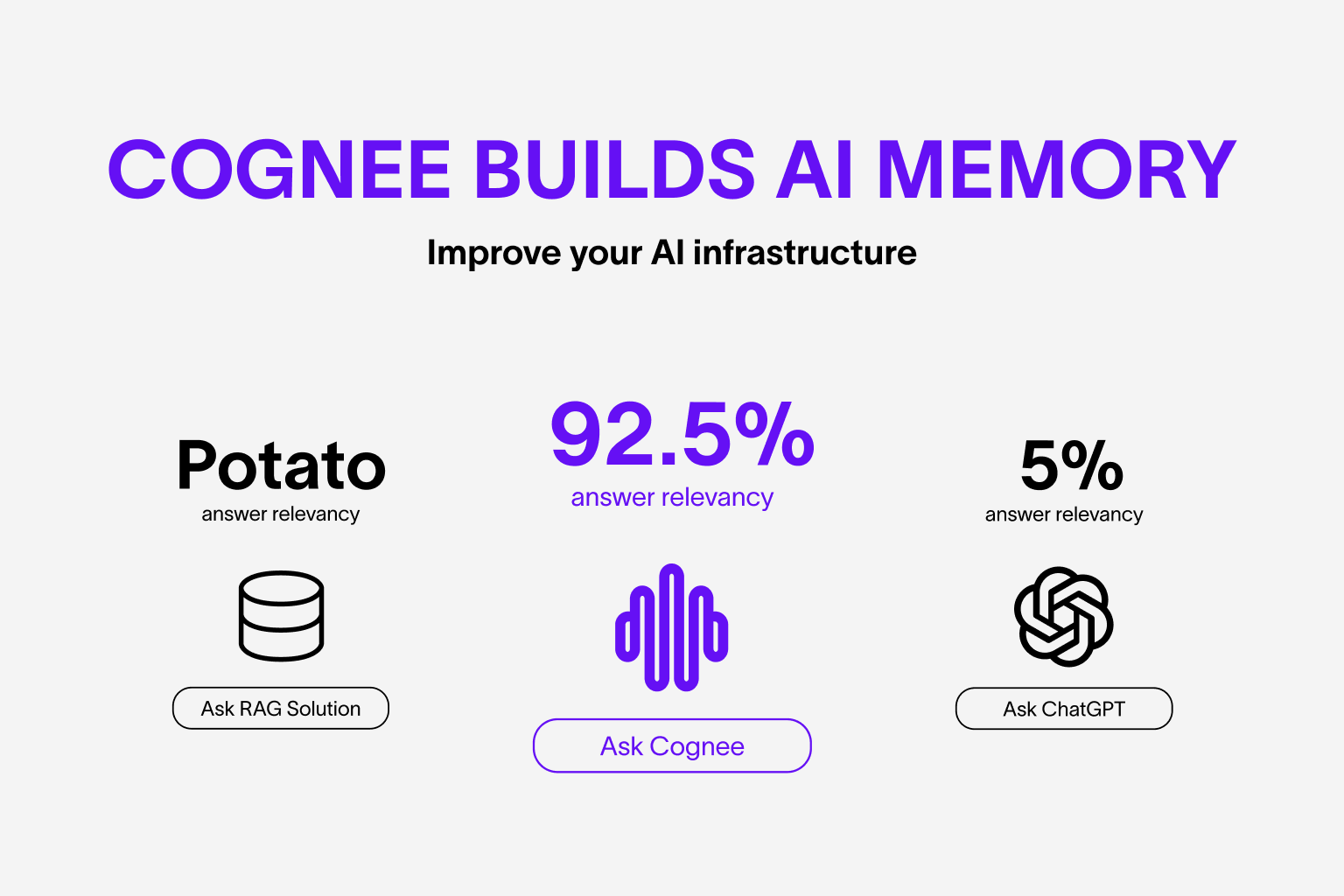
About Cognee
Cognee is an open-source tool and platform that transforms your raw data into persistent and dynamic AI memory for Agents. It combines vector search with graph databases to make your documents both searchable by meaning and connected by relationships.
You can use Cognee in two ways:
- Self-host Cognee Open Source, which stores all data locally by default.
- Connect to Cognee Cloud, and get the same OSS stack on managed infrastructure for easier development and productionization.
Cognee Open Source (self-hosted):
- Interconnects any type of data — including past conversations, files, images, and audio transcriptions
- Replaces traditional RAG systems with a unified memory layer built on graphs and vectors
- Reduces developer effort and infrastructure cost while improving quality and precision
- Provides Pythonic data pipelines for ingestion from 30+ data sources
- Offers high customizability through user-defined tasks, modular pipelines, and built-in search endpoints
Cognee Cloud (managed):
- Hosted web UI dashboard
- Automatic version updates
- Resource usage analytics
- GDPR compliant, enterprise-grade security
Basic Usage & Feature Guide
To learn more, check out this short, end-to-end Colab walkthrough of Cognee's core features.

Quickstart
Let’s try Cognee in just a few lines of code. For detailed setup and configuration, see the Cognee Docs.
Prerequisites
- Python 3.10 to 3.13
Step 1: Install Cognee
You can install Cognee with pip, poetry, uv, or your preferred Python package manager.
uv pip install cognee
Step 2: Configure the LLM
import os
os.environ["LLM_API_KEY"] = "YOUR OPENAI_API_KEY"
Alternatively, create a .env file using our template.
To integrate other LLM providers, see our LLM Provider Documentation.
Step 3: Run the Pipeline
Cognee will take your documents, generate a knowledge graph from them and then query the graph based on combined relationships.
Now, run a minimal pipeline:
import cognee
import asyncio


async def main():
    # Add text to cognee
    await cognee.add("Cognee turns documents into AI memory.")

    # Generate the knowledge graph
    await cognee.cognify()

    # Add memory algorithms to the graph
    await cognee.memify()

    # Query the knowledge graph
    results = await cognee.search("What does Cognee do?")

    # Display the results
    for result in results:
        print(result)


if __name__ == '__main__':
    asyncio.run(main())
As you can see, the output is generated from the document we previously stored in Cognee:
Cognee turns documents into AI memory.
Use the Cognee CLI
As an alternative, you can get started with these essential commands:
cognee-cli add "Cognee turns documents into AI memory."

cognee-cli cognify

cognee-cli search "What does Cognee do?"
cognee-cli delete --all
To open the local UI, run:
cognee-cli -ui
Demos & Examples
See Cognee in action:
Persistent Agent Memory
Cognee Memory for LangGraph Agents
Simple GraphRAG
Cognee with Ollama
Community & Support
Contributing
We welcome contributions from the community! Your input helps make Cognee better for everyone. See CONTRIBUTING.md to get started.
Code of Conduct
We're committed to fostering an inclusive and respectful community. Read our Code of Conduct for guidelines.
Research & Citation
We recently published a research paper on optimizing knowledge graphs for LLM reasoning:
@misc{markovic2025optimizinginterfaceknowledgegraphs,
      title={Optimizing the Interface Between Knowledge Graphs and LLMs for Complex Reasoning},
      author={Vasilije Markovic and Lazar Obradovic and Laszlo Hajdu and Jovan Pavlovic},
      year={2025},
      eprint={2505.24478},
      archivePrefix={arXiv},
      primaryClass={cs.AI},
      url={https://arxiv.org/abs/2505.24478},
}